A different kind of bookmark manager.
Stash treats your bookmarks like to-dos: you can give them a date, get reminded, and move them to your archive or trash when you're done.
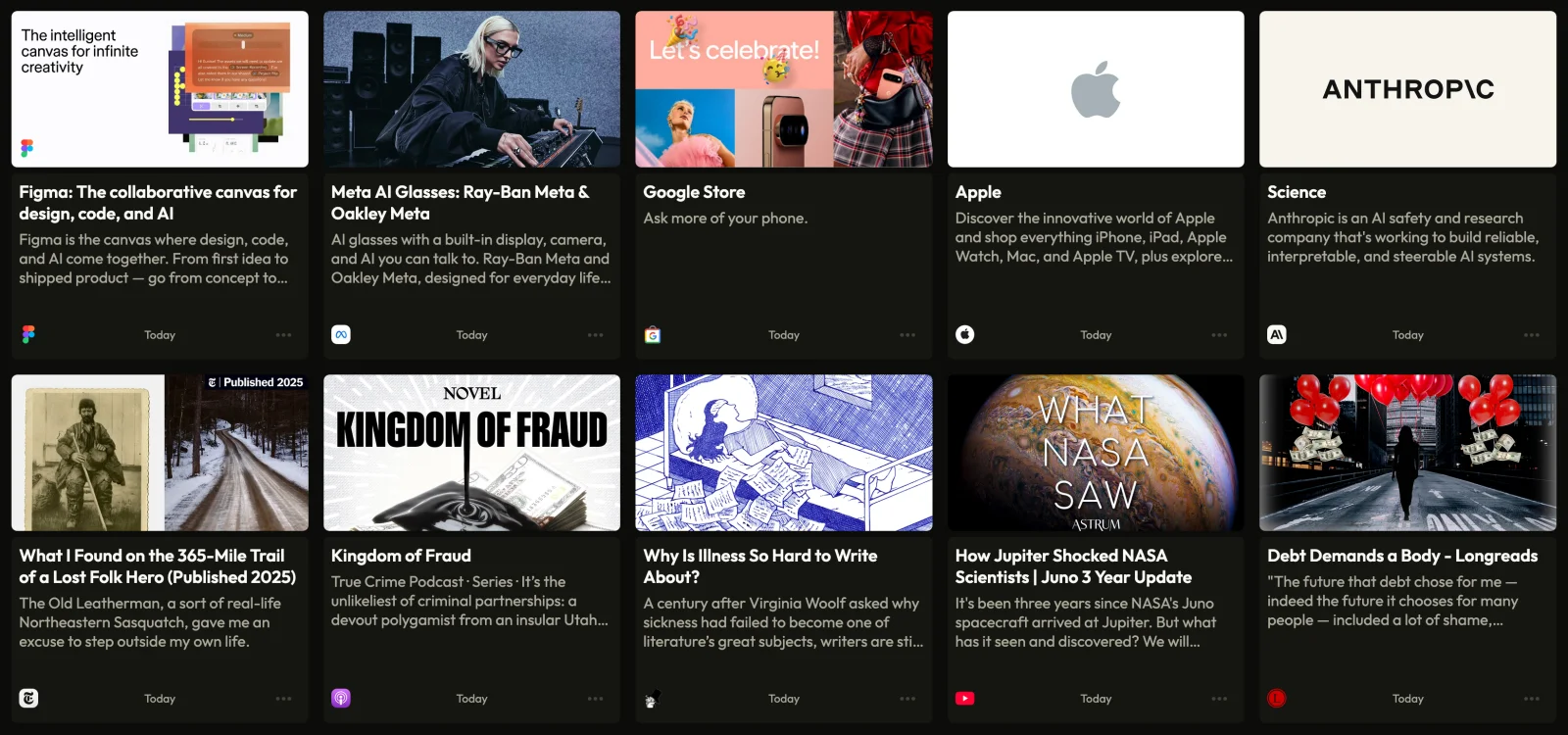
Stash is more than a home for your bookmarks.
It's a place to enrich what you save, make plans for what matters, and turn your bookmarks into something worth returning to.
Screenshot: the extension saving a page
01Save
Save a link with the Stash browser extension, or paste it into Stash on the web. Nothing gets in unless you put it there.
More about saving02Enrich
Stash turns every link you save into a rich preview, and you can refresh one that comes out wrong.
More about previews
03Plan
Give a bookmark a due date, set a reminder, or line it up in your queue. You can use one or all three.
More about planningScreenshot: the archive
04Finish
A finished bookmark is either a memento or clutter, so you can move it to your archive or to the trash.
More about finishing
Save from the browser you already use.
The extension runs in any browser built on Chromium, and the web app takes a pasted link from anywhere. The rest are on their way.
- Browser extension
Click the Stash button in your toolbar to save the page you're on, or right-click any link to save it without opening it.
 Chrome
 Arc
Arc Brave
Brave Edge
Edge Dia
Dia
- Paste a link
Paste a link into Stash on the web from any device, and it saves with a preview like everything else.
- Safari and FirefoxSoon
The same extension, for the browsers that are not built on Chromium.
- Safari
- Firefox
- Share from your phoneSoon
Save from any app on iPhone or Android through the share sheet.
- iOS
- Android
- RaycastSoon
Save the page in your frontmost browser without leaving the keyboard.
- Raycast
Everything else you'd expect.
Gather related bookmarks into lists that you curate yourself.
Mark the bookmarks you love, and they will keep a shelf of their own.
Right-click any page or link in Chrome, and the extension will save it to Stash.
If a preview has gone stale, you can refresh it from the bookmark's menu.
Trash keeps what you remove for thirty days, counting them down, before letting it go.
When a due date arrives or a reminder goes off, it lands in your Inbox, where you can snooze it for later.
Stop losing what you meant to come back to.
Stash is free while it's in beta. Everything on this page is included, and all you need to begin is an email address or a Google account.
Beta
Free
- You can save links from the web app or the Chrome extension.
- Every link you save gets a rich preview.
- You can give bookmarks due dates and reminders, or line them up in a queue.
- You can gather bookmarks into lists and keep favorites of your own.
- Finished bookmarks go to your archive, and the trash waits thirty days.